


PicsLeap–AI Photo Editor &Grid
4.4184.00 Reviews
App Specs
- Version
- 2.4.11
- Updated On
- License
- Free
- Downloads
- 100,000+
- Developer
- Magic Photo Collage & Photo Editor - CollageArt
- Categories
- Photography
- Platform
- Android
Screenshots

 Analysis by AppCompare
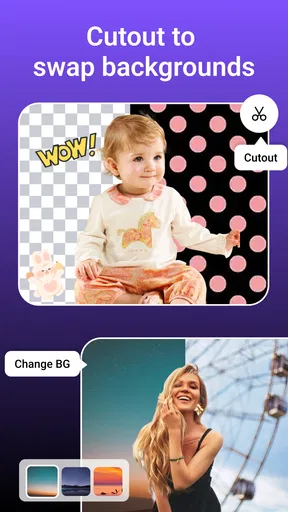
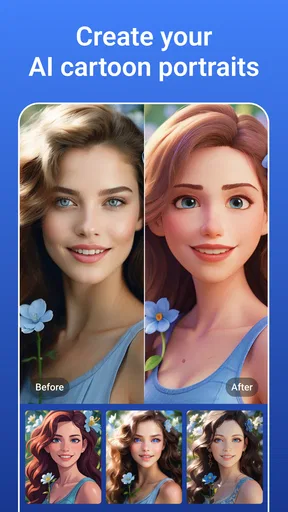
When I first opened PicsLeap, I wanted to see whether I could turn an ordinary phone photo into something worth sharing without getting lost in a maze of editing controls. The app is a free photography editor from Magic Photo Collage & Photo Editor - CollageArt, with AI-assisted enhancement, collage making, cartoon-style effects, stickers, and background tools among its creative options. Its broad mix is appealing, but I found it works best when I approach it as a quick, playful editor rather than a replacement for a full desktop photo workflow.
First Impressions and Features
The moment I downloaded PicsLeap, I was greeted with a sleek and clean interface. The app doesn’t overwhelm you with too many options right off the bat. Instead, it eases you in with a quick tutorial, which I found super helpful. It’s like the app knows we’re all a bit impatient and just want to dive into editing.
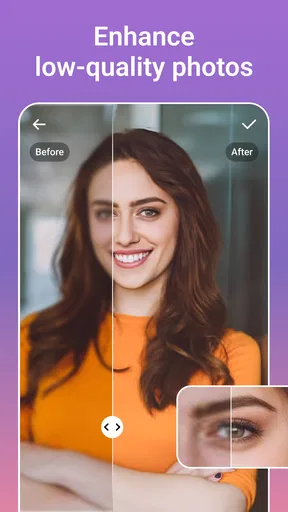
One of the standout features is the AI enhancement tool. Trust me, this isn’t just any ordinary filter. The AI tool analyzes your photo and automatically adjusts things like contrast, brightness, and even sharpness to make your photos look professionally edited. I tried it on a few of my rather dull vacation photos, and the transformation was impressive. It’s like having a mini Photoshop in your pocket!
Exploring the Editing Tools
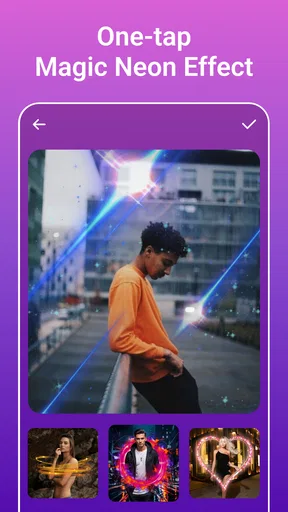
Aside from the AI magic, PicsLeap offers a plethora of other editing tools. You’ve got your standard crop, rotate, and resize options. But what caught my attention were the artistic effects and filters. There’s this cool "vintage" effect that made my selfies look like they were taken in the ‘80s. The app also includes a grid feature, which is perfect for those Instagram layouts we all love.
And let’s not forget about the retouching tools. You can easily remove blemishes, whiten teeth, and even smooth out skin tones. As someone who’s always struggled with editing apps that overdo the retouching, I found PicsLeap’s tools to be pretty subtle and natural. It’s like a gentle touch-up that doesn’t scream "I edited this photo for hours!"
User Experience
For a first edit, I’d start with a photo that already has a clear subject and decent light. Try the automatic enhancement first, then compare it with the untouched image before adding a filter. That small pause matters: an automatic adjustment can make a dim picture easier to see, but it can also push a bright sky or skin tones farther than you want. I get a more natural result when I treat the AI pass as a starting point, not a finished verdict.
Using PicsLeap is a breeze. The app’s intuitive design means you won’t be fumbling around trying to figure out how to apply a filter or adjust a setting. Everything is laid out logically, and the app runs smoothly without any annoying lag. I’ve used a fair share of photo editing apps that crash at the slightest touch, but not this one!
Worth Reading Before You Choose

Flipboard Shows What News Apps Must Do Beyond the Feed

Switching to Android Auto Means Rethinking Your Driving Routine

Google Calendar Makes a Crowded Week Easier to Manage

Ludo King Makes the Most of the Minutes Between Plans

Baby Panda World Brings Quick Play to Modern Phones, but Its Game Library Feels Busy

ESPN’s Live Game View Makes Following Close Games Easier
A useful everyday example is preparing a handful of family or pet pictures for a group chat. I’d choose the clearest image, make a restrained crop, test enhancement, and save a clean version before trying a cartoon effect or sticker. Keeping the natural edit separate from the playful one makes it easy to send the right mood to different people, and it avoids turning every picture into a heavily processed image just because the option is available.
One feature I particularly appreciated is the ability to save and organize projects. You can create folders for different editing projects, which is a lifesaver if you’re someone who edits a ton of photos like me. Plus, sharing your edited masterpieces is just a tap away, with direct links to social media platforms.
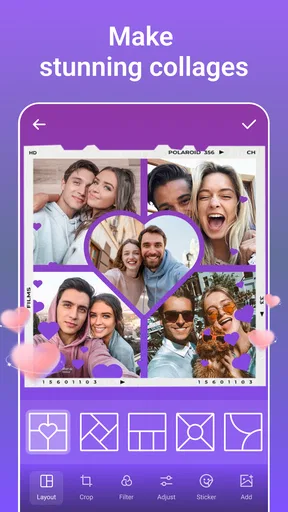
For collages, I’d decide on the story before opening the layout: a few images from the same outing usually feel more coherent than a mix of unrelated shots. A grid can make a quick recap look deliberate, but small differences in brightness and color become more noticeable when photos sit side by side. I’d adjust the individual pictures first, then build the collage, rather than applying one strong look across images that were taken in different lighting.
Getting Comfortable With the Choices
The range is part of the appeal, though it can create a little uncertainty for someone new to editing. AI enhancement, retouching, filters, collage layouts, stickers, and cartoon effects all serve different purposes; they are not interchangeable ways to “improve” a photo. I find it helps to decide whether I’m aiming for a realistic correction, a tidy social post, or a deliberately silly result before browsing effects. That keeps the editing focused and makes it easier to stop when the image is good enough.
Retouching deserves a light hand, especially on close-up portraits. I’d make one small change, check the face at normal viewing size, and only then decide whether another adjustment is needed. A zoomed-in preview can make tiny imperfections seem more important than they will look on a phone screen. The subtle approach is also a better fit for pictures meant to feel candid; aggressive smoothing can quickly make a person look unlike themselves.
The app is not the right choice for every kind of photo work. If I needed precise control over a complex selection, a carefully matched batch of edits, or a layered project intended for later professional revision, I would reach for a more advanced editor. PicsLeap’s strength is having creative options close at hand, not turning a phone into a full desktop studio. Similarly, if I only wanted to crop an image once, the extra creative tools might be more than I need.
Who Will Get the Most From It
I’d recommend it most to people who want to make casual photos more presentable, create a quick collage, or try a playful visual treatment without learning a complicated editing system. Someone posting occasional pictures of a meal, a trip, a pet, or a weekend with friends can move from a basic correction to a shareable result in one app. The variety also suits beginners who enjoy experimenting, provided they are happy to judge effects by eye rather than expecting every automated choice to be perfect.
People who prefer restrained, repeatable editing may find the creative range less important. If consistency across a large set of photos matters more than stickers or novelty effects, a focused editor built around detailed adjustments may be a better fit. I’d also skip this one if I wanted every edit to look entirely natural without spending time comparing the original and finished versions; automated tools are convenient, but a quick visual check is still worthwhile.
Compared with the usual alternatives, PicsLeap sits between a basic phone gallery editor and a more demanding photo-editing app. A gallery tool is often quicker for a simple crop or rotation, while a specialist editor can offer a more controlled workflow for detailed work. This app makes more sense when I want several kinds of casual creativity together—enhancement, portrait touch-ups, artistic effects, and collage making—rather than when I need maximum precision in one area.
Cost, Compatibility, and Everyday Use
The app is free to download and is rated for Everyone. It has a 4.4 average from around 786 ratings, and has passed 100K installs. It was released on January 12, 2021, and version 2.4.11 is listed as the current version. Those figures suggest it has found an audience, but they don’t tell me whether a particular effect will suit my taste; the best test is still trying a modest edit on a photo I know well.
There are in-app purchases, with individual items ranging from $0.99 to $47.99. I’d explore the free editing path first and check the price shown for any item before committing, especially if I only need one occasional effect. The range makes it sensible to treat optional purchases as a decision rather than assuming every tool is included at no cost. The minimum operating-system requirement is 7.1, so checking that your device meets it before installing can prevent an avoidable start-up disappointment.
If you’re wondering what to do after your first successful edit, I’d save the natural-looking version, then try one creative variation on a duplicate or separate project. That simple habit gives you room to experiment without losing the image you actually want to keep. It also makes the app’s different sides easier to judge: an enhancement may rescue a flat snapshot, while a collage or cartoon treatment is better understood as a separate creative choice.
Final Thoughts
All in all, PicsLeap–AI Photo Editor &Grid is a fantastic app for anyone looking to enhance their photos without the hassle of complicated software. Its combination of AI technology and user-friendly design makes it suitable for both beginners and seasoned photo editors. Whether you’re editing a quick selfie or crafting a masterpiece for your Instagram feed, this app has got you covered.
So, if you’re on the lookout for a reliable photo editor that offers powerful features without the hefty price tag, give PicsLeap a try. It’s definitely earned a spot in my go-to editing apps.
Pros
- Intuitive user interface for easy navigation.
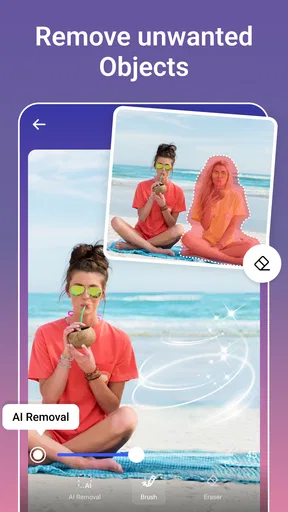
- Wide range of AI-powered editing tools.
- High-quality photo enhancement options.
- Fast processing with real-time previews.
- Seamless integration with social media platforms.
Cons
- Some features require in-app purchases.
- Occasional ads interrupt editing flow.
- Limited free version capabilities.
- Requires a stable internet connection.
- Occasional lag on older devices.
FAQs for PicsLeap–AI Photo Editor &Grid
What features does PicsLeap–AI Photo Editor & Grid offer?
PicsLeap offers a variety of AI-powered photo editing tools, including automatic enhancements, filters, and effects to elevate your photos. It also features a grid layout tool for creating stunning photo collages. The app supports high-resolution editing, ensuring that your images maintain quality. Various customization options are available to fine-tune every detail of your edits.
Is PicsLeap user-friendly for beginners?
Yes, PicsLeap is designed with an intuitive interface that makes it accessible for users of all skill levels. Beginners will find the AI-driven tools particularly helpful, as they simplify complex editing tasks. Moreover, the app includes tutorial guides and tips to help new users get started quickly and effectively.
Does PicsLeap require an internet connection to function?
While PicsLeap can perform basic editing tasks offline, some advanced features, particularly those powered by AI, may require an internet connection to function optimally. This is because certain algorithms and updates are cloud-based, ensuring the latest technology is being utilized for your edits.
Are there in-app purchases or subscriptions in PicsLeap?
PicsLeap offers a range of free features, but for access to premium tools and effects, users may need to make in-app purchases or subscribe to a monthly or yearly plan. This subscription provides access to exclusive content, advanced editing tools, and removes ads for an enhanced user experience.
How does PicsLeap handle user privacy and data security?
PicsLeap prioritizes user privacy and data security. The app implements strong encryption protocols to protect user data and does not share personal information with third parties without consent. Users can review the app’s privacy policy for detailed information on data handling practices and security measures.


